How it works

Everything an accountant does, from the invoice to the filing.

No import-export between programs and no tables filled in twice. The invoice, the payment, the payslip and the depreciation become journal entries; VAT, the books and the reports are read from it.

The office board: month-end closing for every client

One board for the whole office. Quick actions on top: new filing, ATK book, photo to Excel, depreciation, invoice, client. Closing progress in percent, the month's list with four steps (ATK books, VAT, contributions and payroll, filings submitted) and the workflow: every client with its own state: to process, in review, ready to file, submitted.

  • Bulk filings: pick WM, WR, TV, IL, QL or CD, the month and the clients; the fields fill from the data; downloaded as Excel and marked as submitted.
  • ATK books for every client and month or quarter, from the recorded invoices or from an uploaded list, kept and downloadable again.
  • Search ⌘K opens any client by name or business number; the bell shows the next 5 days' deadlines for the whole office.
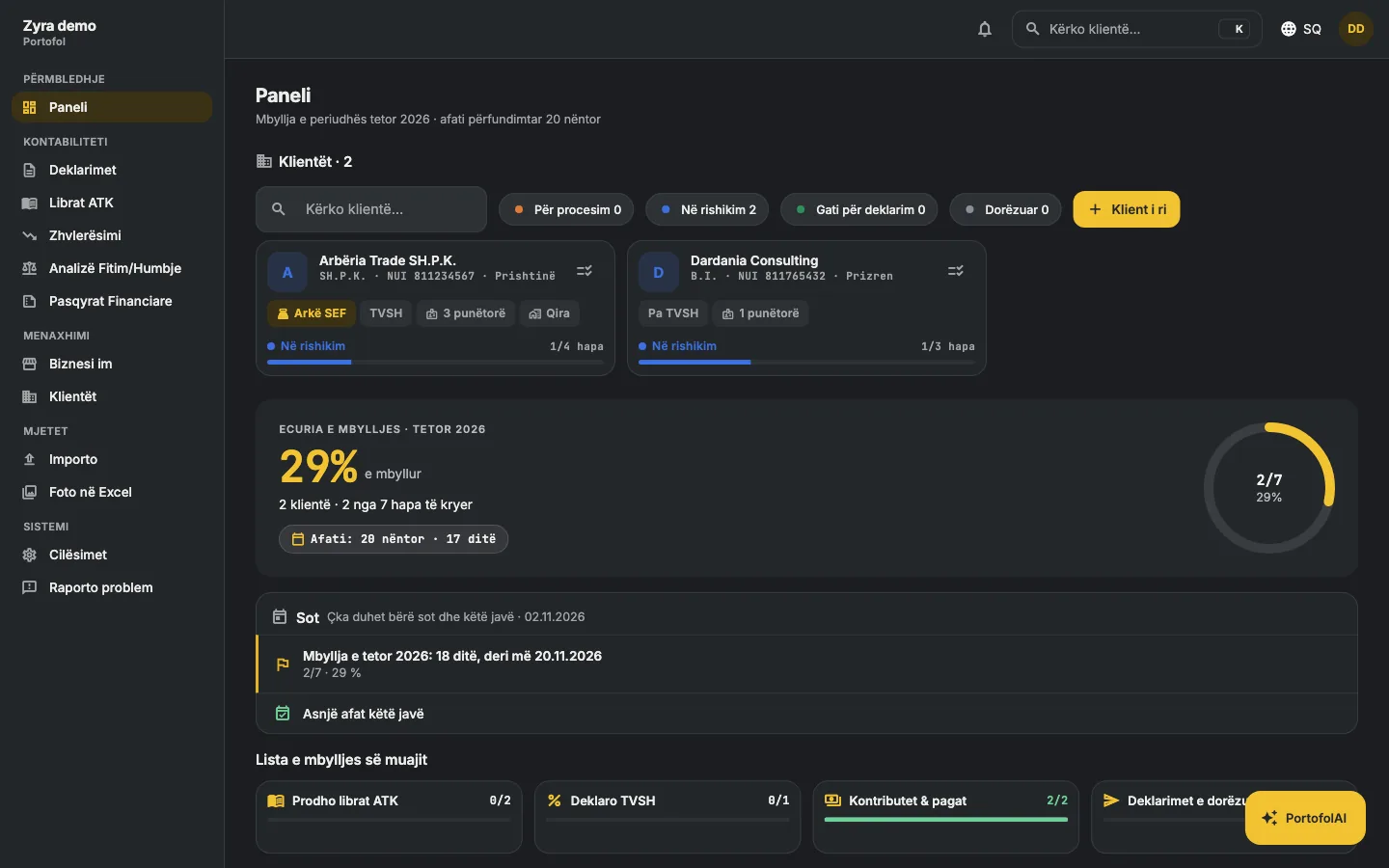
The office board

Sales and purchase invoices

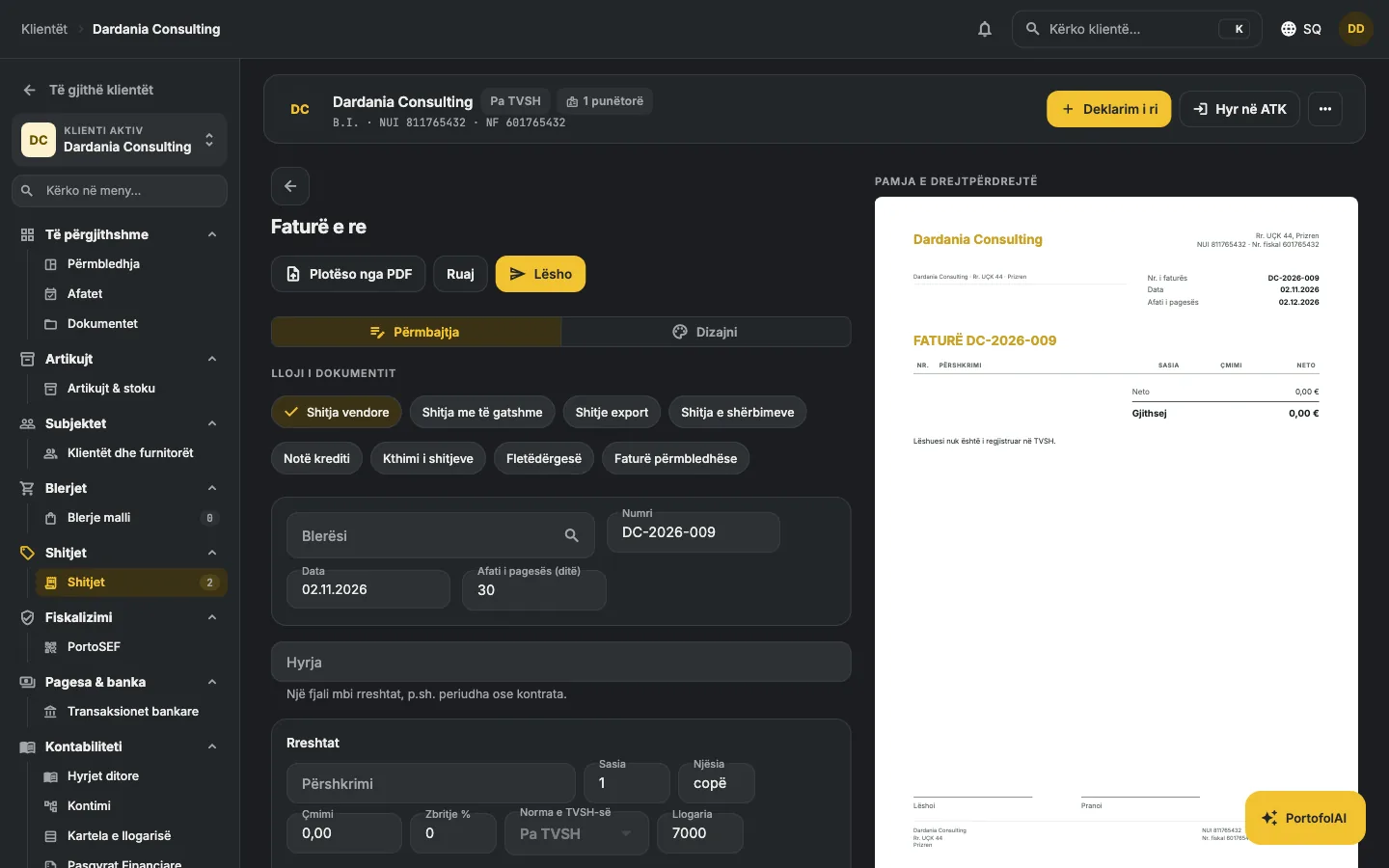
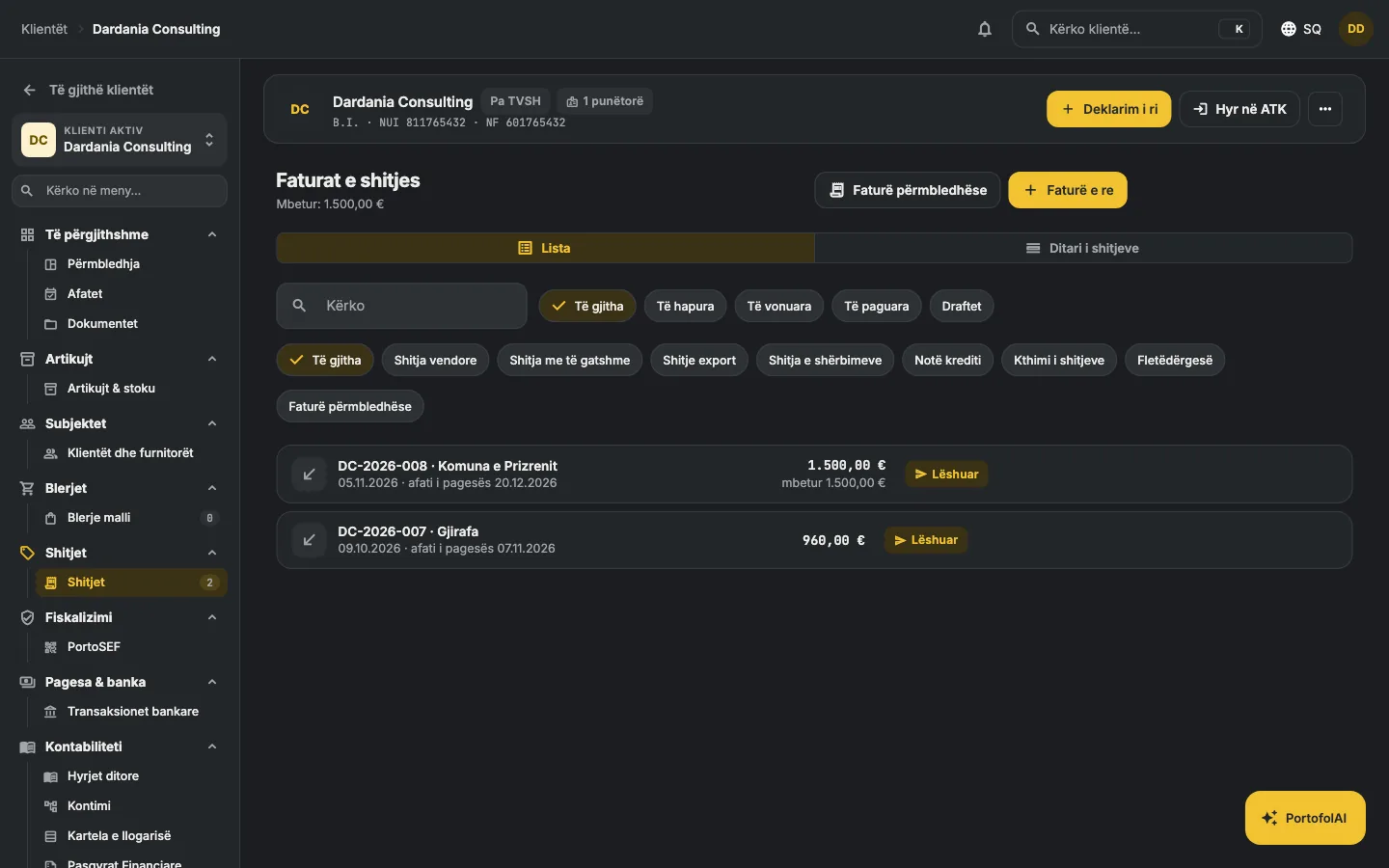
You type the invoice and see the paper on the right as you type. The purchase invoice you do not type at all: you upload it as a PDF and the fields fill themselves. The company's logo, colour, three layouts, signatures.

  • Mandatory fields: sequential number, date, business number, fiscal number and VAT number of both parties.
  • VAT per line: 18 %, 8 %, 0 %, exempt; discount per line; items with a saved price.
  • Status follows the money: draft, issued, partly paid, paid, overdue.
  • PDF with the bank details on every page, ready to email or print.
  • Purchases with the supplier's number and reverse charge for services from abroad.
  • From PDF: upload the supplier's invoice and the form fills itself with the supplier, number, date, lines and VAT. You check and save.
The invoice editor with the live preview

The VAT return and the books

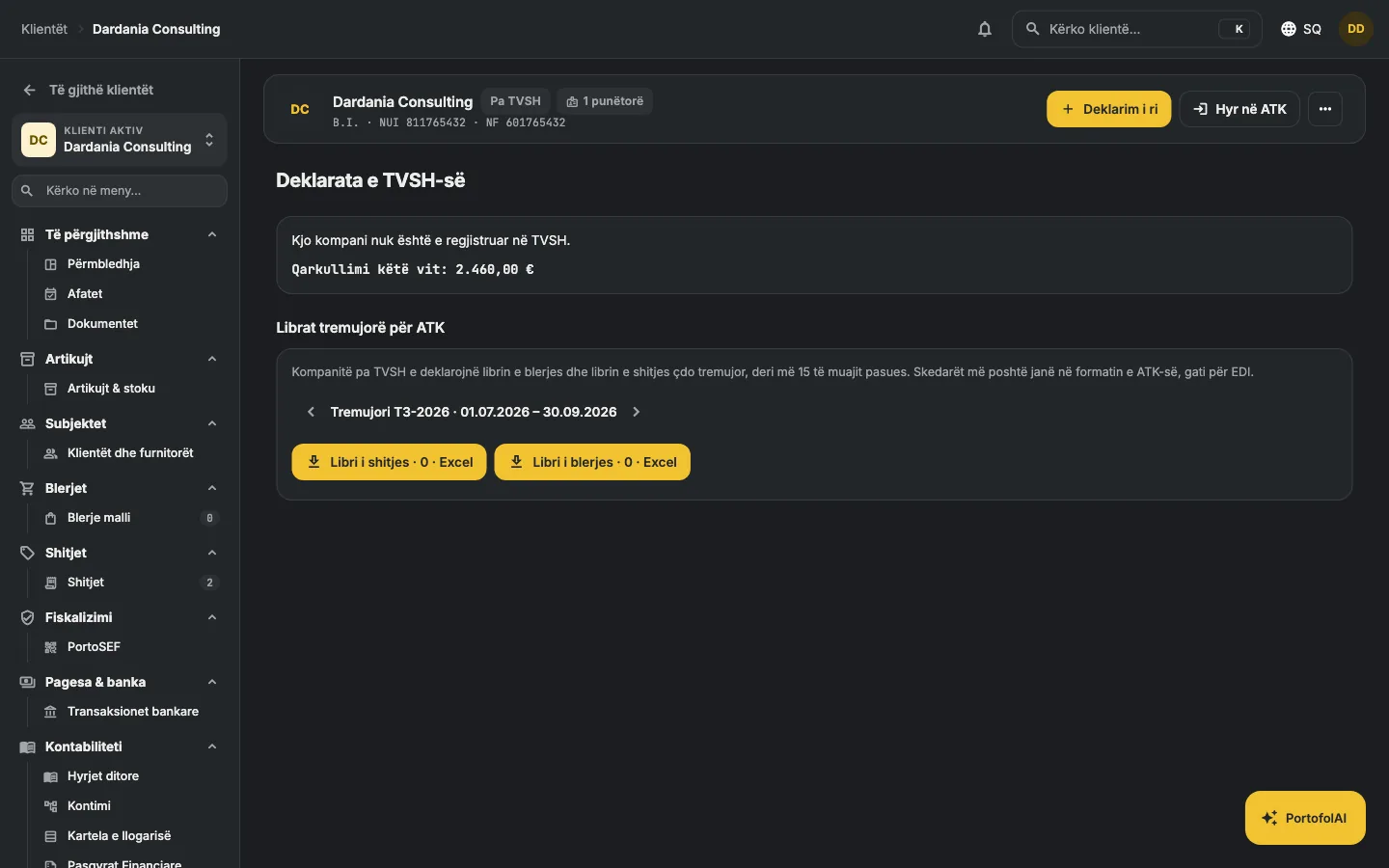
The TV form comes out of the month's invoices: VAT collected on sales, deductible on purchases, payable. The sales and purchase books download as Excel in ATK's official template and upload to EDI as they are, with no other program in between.

  • Per month, with the deadline of the 20th and the days left.
  • Net and VAT by rate: 18 %, 8 %, exempt.
  • Companies outside VAT are handled properly: invoices without VAT, no return; quarterly books in ATK's short format.
  • ATK's template: header rows, box numbers [9]–[30] and [31]–[67], the business-number codes (1, 2, 3, 6, 8, 11), the split by rate, investments, imports and reverse charge.
The VAT return

Payroll by the year's rules

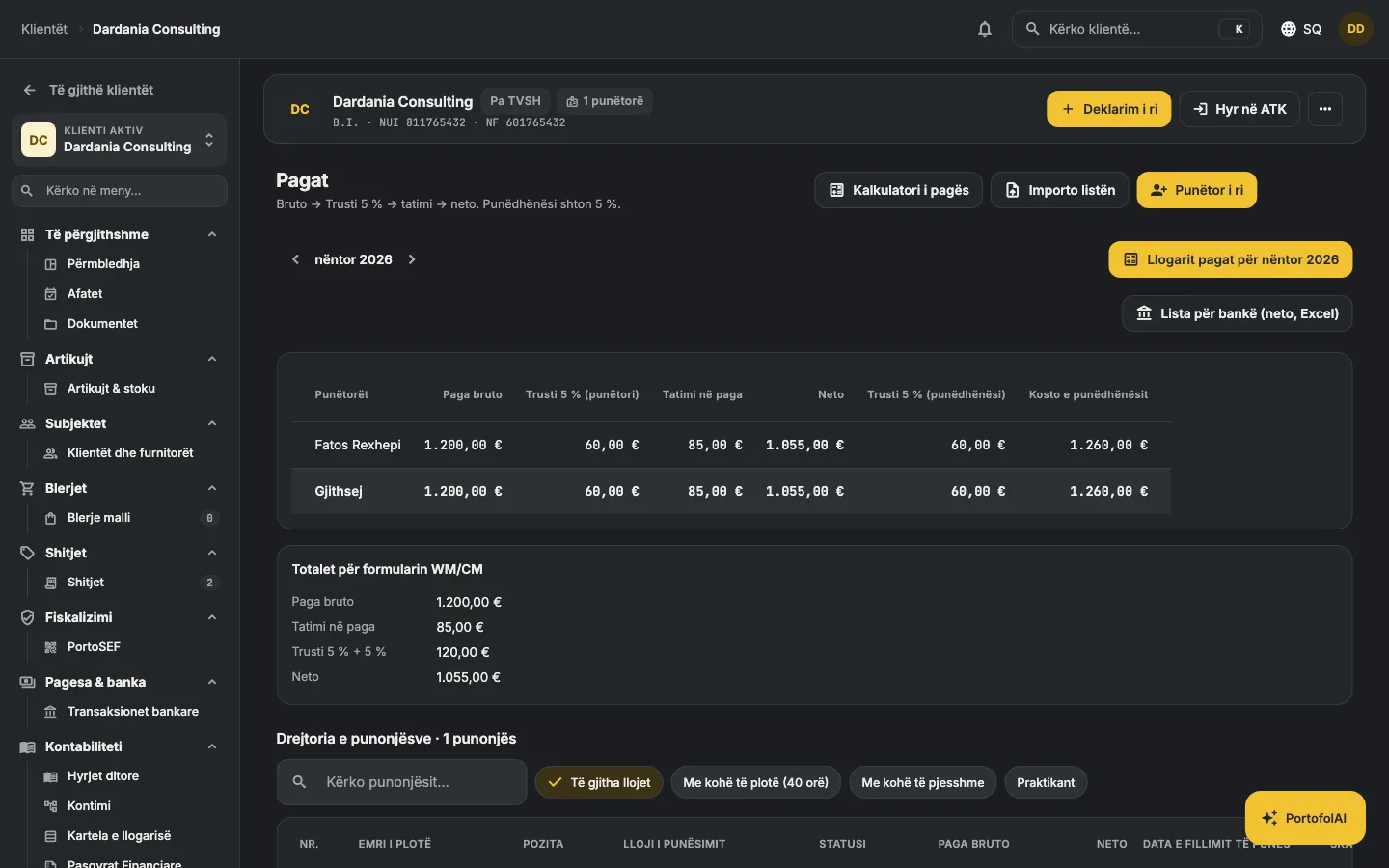
Employees with their gross pay; the month's list calculates itself: the employee's 5 % Trust and the employer's 5 %, payroll tax by bracket, net to pay.

  • ATK's brackets: 0 % up to 80 €, 4 % up to 250 €, 8 % up to 450 €, 10 % above, per month, like ATK's calculator.
  • Totals for WM/CM ready to file by the 15th.
  • The journal entry: wage expense, liabilities to the Trust and ATK.
  • The employee list from Excel or CSV: upload it once, with the ready template.
  • Rent with 9 % withholding tax for landlords who are natural persons: recorded by itself every month, with the totals for WR.
The payroll list

Bank, cash and collections

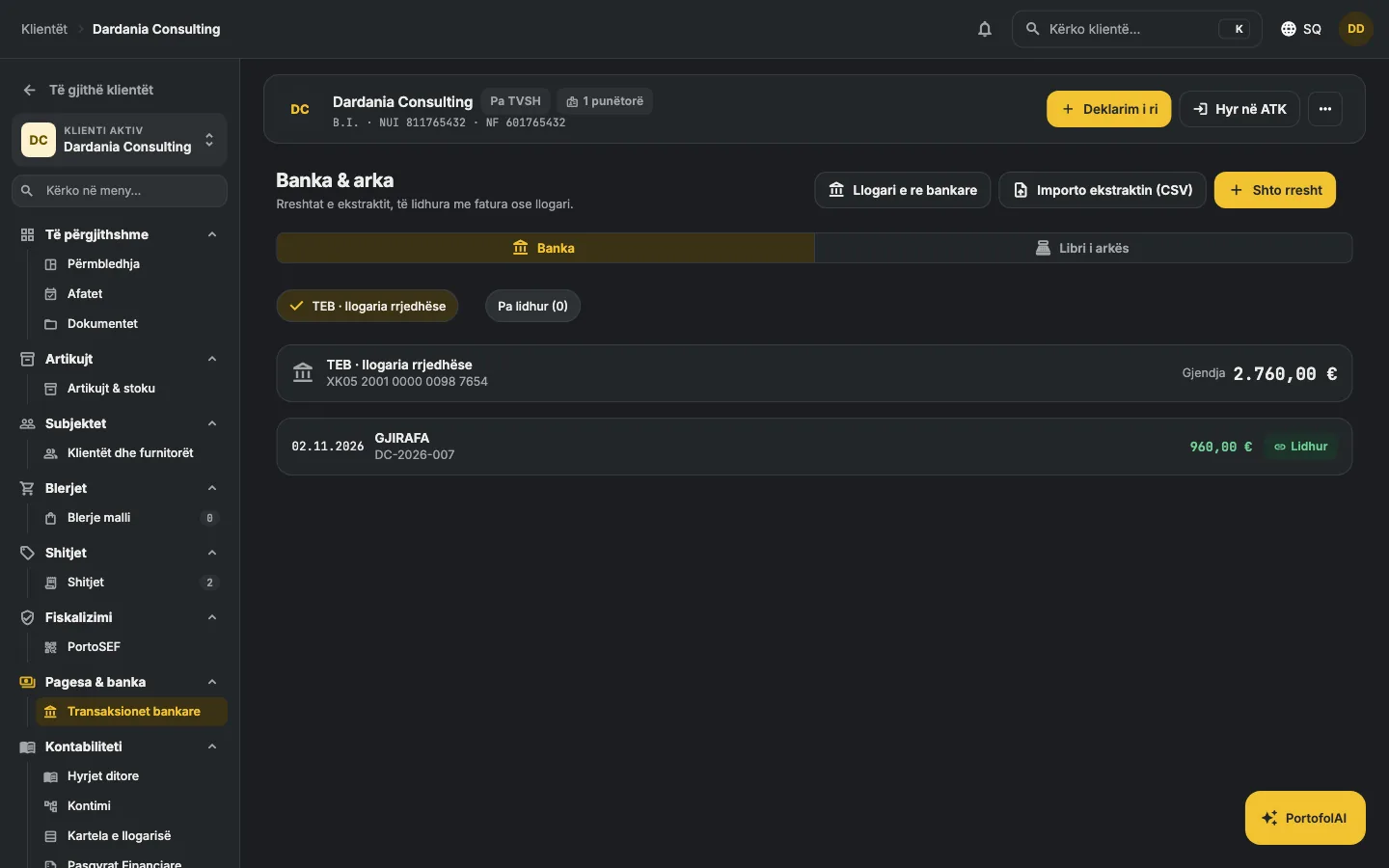
Import the bank statement as CSV. Every line is matched to an open invoice or an account; matching amounts are suggested by themselves. Cash is kept separately.

  • The balance of bank and cash at any moment.
  • Overdue collections by age: 30, 60, 90 days.
  • Payments are recorded on the invoice and in the journal with one action.
Bank and cash

The fiscal receipt from the app (SEF)

Under Administrative Instruction 01/2026, the fiscal receipt may be issued by electronic fiscal software, without a physical cash register. Portofol issues it from the invoice: signs it with ATK's certificate, reports it in real time and prints the receipt with the QR code.

  • Registration with ATK from the app: the fiscalisation number from EDI, the unit, the POS; the certificate is issued by ATK.
  • The 80 mm receipt as in ATK's examples: items with the VAT letter, totals by rate, NUIKF, daily number, QR code, the RKS/MF logo.
  • Cancellation with a cancellation receipt referring to the original; offline when there is no internet, re-sent when it returns.
  • ATK's protocol: protobuf, ECDSA P-256 signature, HTTPS. Test and production environments. SEF certification by ATK in progress.
Invoice with fiscal receipt and QR code

IFRS statements, reports and deadlines

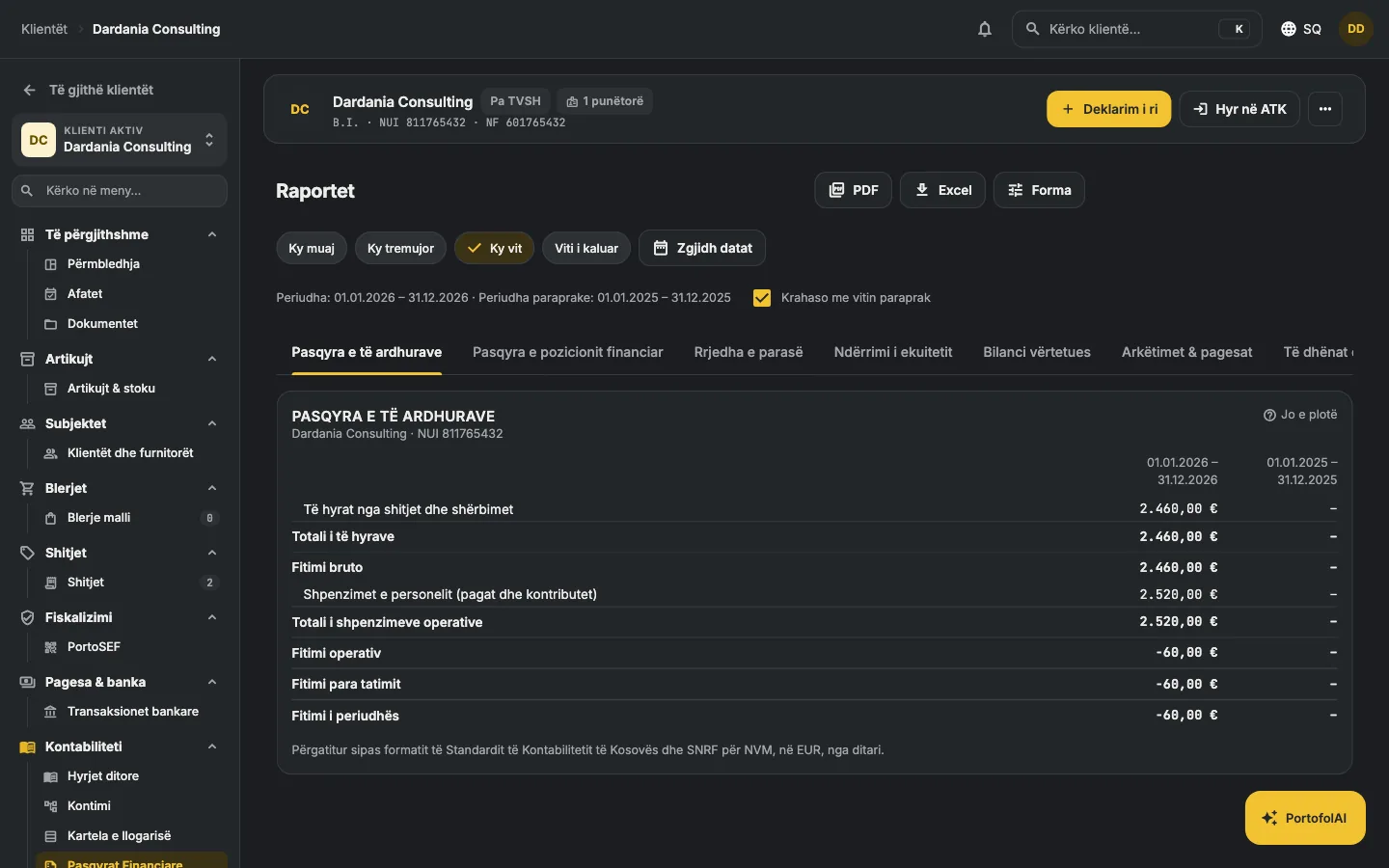
The income statement, the statement of financial position and the cash flow in the format of the Kosovo Accounting Standard and IFRS for SMEs, with the comparative column, for any period you pick: month, quarter, year or two free dates. The CD return prepared from the journal. Everything downloads as Excel.

  • WM 15 · TV 20 · WR 15 · QL/IL 15 after the quarter · CD/PD 31 March, with an email a few days before and on the day.
  • Checks: rules from the law that warn you when you make a mistake: VAT without registration, the 30,000 € threshold, an invoice without a business number, deductible VAT without a VAT number, pay below the minimum, rent without withholding tax, numbering with gaps. Every warning cites the article.
  • Assets with monthly straight-line depreciation recorded by itself; the register imports from Excel.
  • Journal and general ledger with Kosovo's chart of accounts, classes 0–9.
Reports

Kontabilisti: write it, it does it

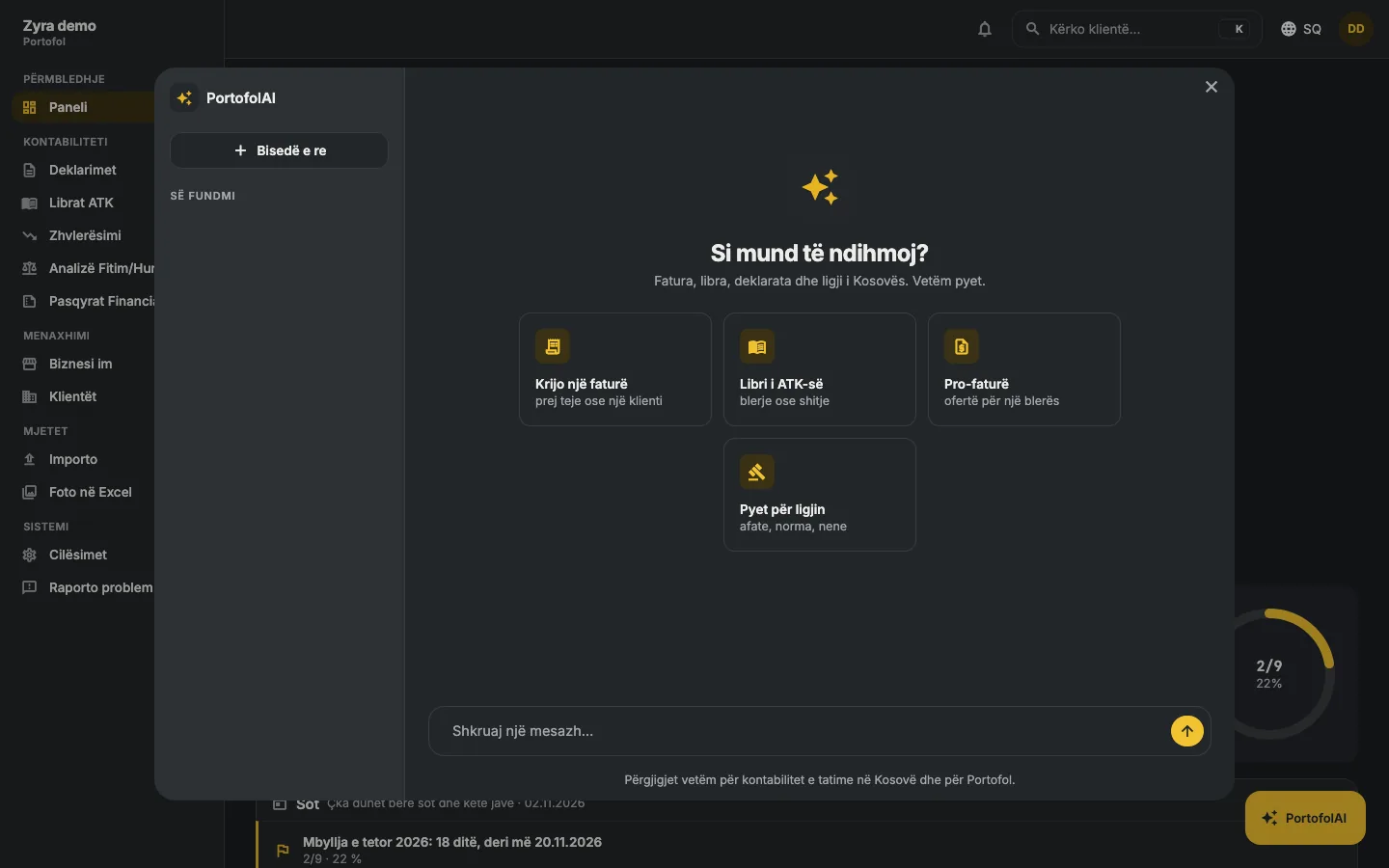
A button on every page. You write to it like a colleague: "create an invoice for Visar Berisha, 500 euro with VAT", "make a pro-forma for Feka Home", "produce September's books", "prepare October's WM", "when is the TV deadline". It finds the client, does the action in the app and shows you the card with the result. Questions of law it answers with the article; outside accounting and taxes it does not talk.

  • Actions: invoice, pro-forma, ATK books, filing (TV, WM, WR, QL, IL, CD, PD), opening pages.
  • Data: it sees only what the action returns, with your account's rights; nothing is used for training.
  • Limit: for accounts with a paid licence, with a number of messages a month by plan. Conversations are kept.
Kontabilisti

The client's page

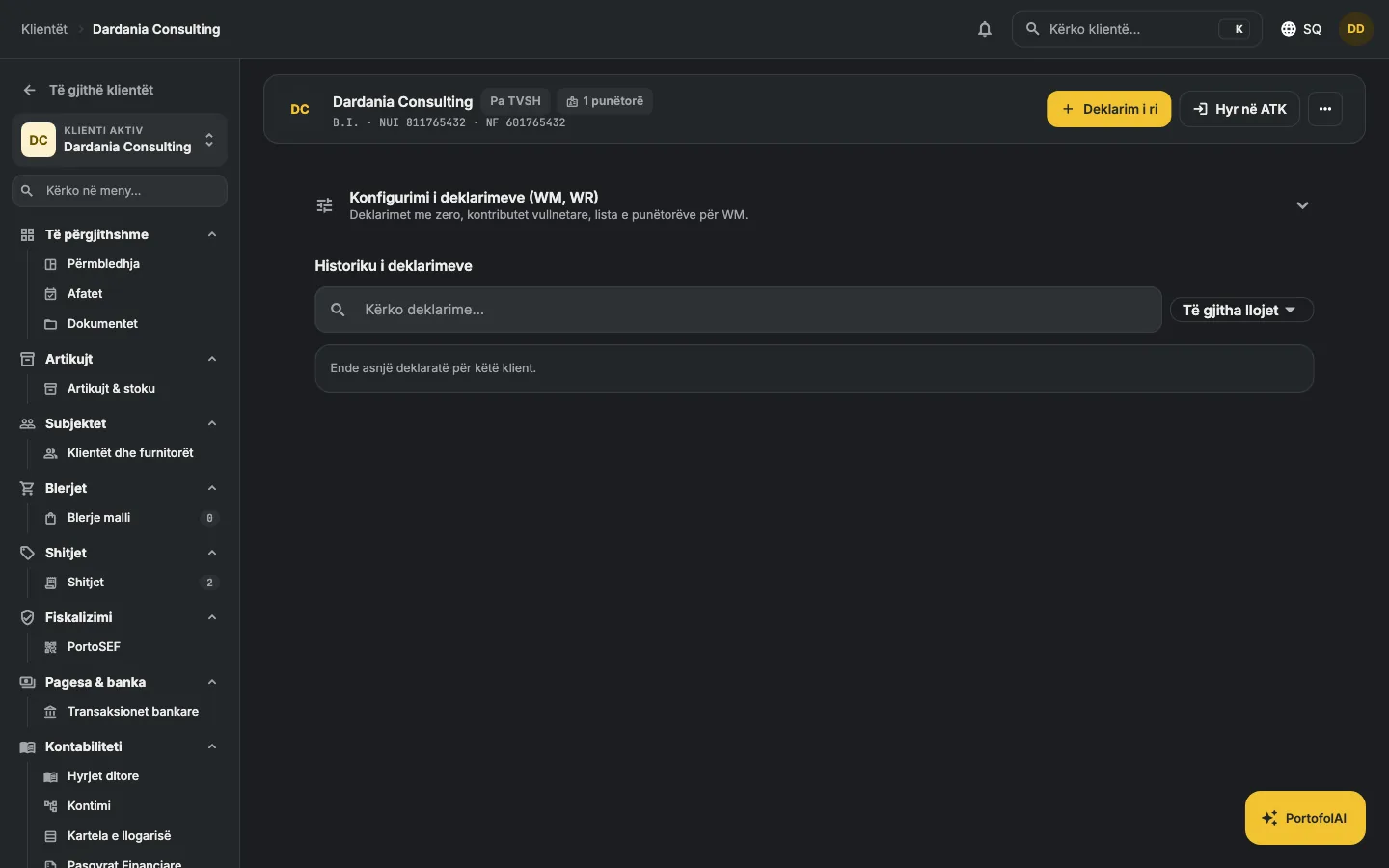
Every client has a page of its own: business number, fiscal number, VAT number, employees; New filing and Sign in to ATK with one click. The WM set-up with the employee list upload and the default boxes (file with zero, zero wages, voluntary contribution), the WR set-up for rent. Below, the history of filings and the books produced, with download and marking as submitted.

The client's page with the WM and WR set-up

Stamp and signature, on every invoice

Upload a photo, photograph it with your phone through a QR code, scan it with a camera or draw the signature with the mouse. The paper is removed by itself and only the ink remains; if you have both on one sheet, they split into stamp and signature by themselves. Nothing stays on the phone.

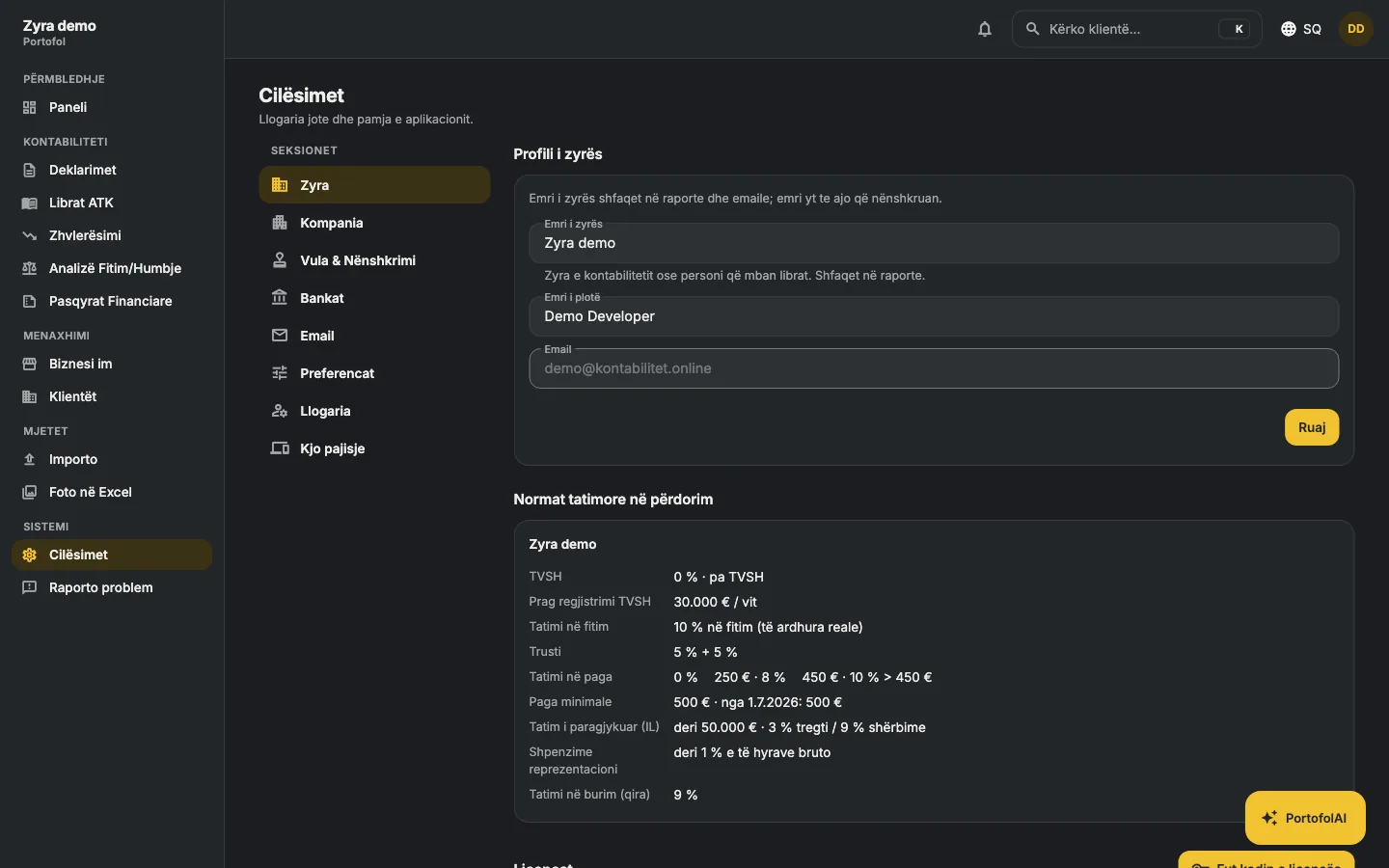
  • The office's banks: your list, added to and changed; the bank field on the client suggests them.
  • Email notices a few days before every deadline, for all the office's clients.
  • Automatic sign-out after a pause, so the account is not left open.
Settings: stamp and signature

For accounting offices

Made for whoever keeps many companies.

Every company has its own books, partners, employees and deadlines. The office sees them all from one account and moves from one to the next with one click.

∞

Companies without limit

You pay for the office, not per company. Add the new company in two minutes, with the chart of accounts ready.

1

One view over everything

Every company's board shows what is waiting: overdue collections, VAT payable, the next deadline.

0

Zero access from outside

Every office's data is separated at row level in the database. No one outside the office sees it, not even us.

Try it with one company today.

Free for two companies. No card.